Permission gates. Allow / Deny.
Run Bash: npm run deploy — approve it from the couch, deny it from
the gym. The answer lands in the real terminal session.
YOUR AGENT IS WAITING ON YOU
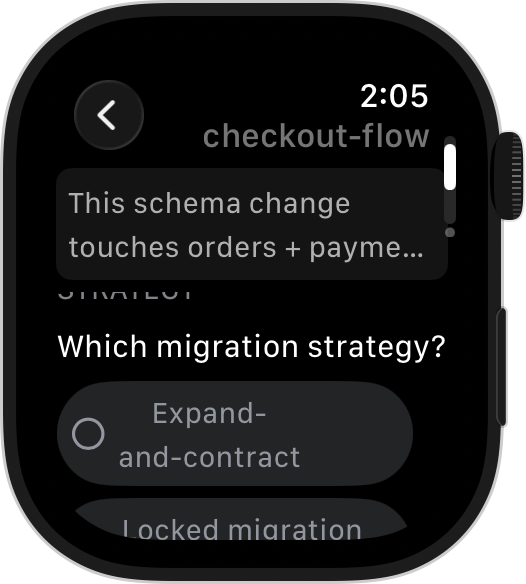
Your Mac runs the agents — Claude Code, Codex, Grok Build. When Claude stops to ask — allow this command? approve this plan? which migration strategy? — the actual question reaches your Apple Watch or Wear OS watch, and your answer goes straight back into the session.
Honesty footnote: the Mac must be awake and on a network you can reach — DevFob keeps it awake (lid-closed too, if you ask) and pairs over your own Wi-Fi. No VPS, no cloud relay, no SSH gymnastics.
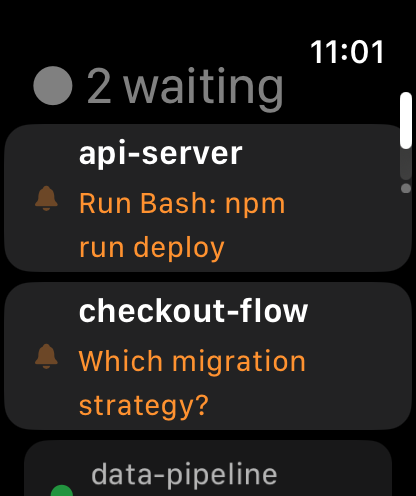
Most tools tell you something happened. DevFob hands you the prompt itself — with the buttons to resolve it — on watchOS and Wear OS. The watch you already own becomes the remote for your most expensive subscription. Two seconds, and the run moves on.
Run Bash: npm run deploy — approve it from the couch, deny it from
the gym. The answer lands in the real terminal session.
Multiple choice, multi-select, per-option descriptions, an “Other…” free-text row — the same structured form Claude shows in the terminal, on your wrist.
The full plan body scrolls on the watch. Approve, reject, or reject with feedback that lands back in the composer.
15 seconds, no cuts. Apple Watch (Series 6+) and Wear OS. Errors can never be silenced by accident.
DevFob keeps every agent login you have — Claude, Codex, Grok Build; work, personal, that second Max plan — saved, metered, and one click apart.
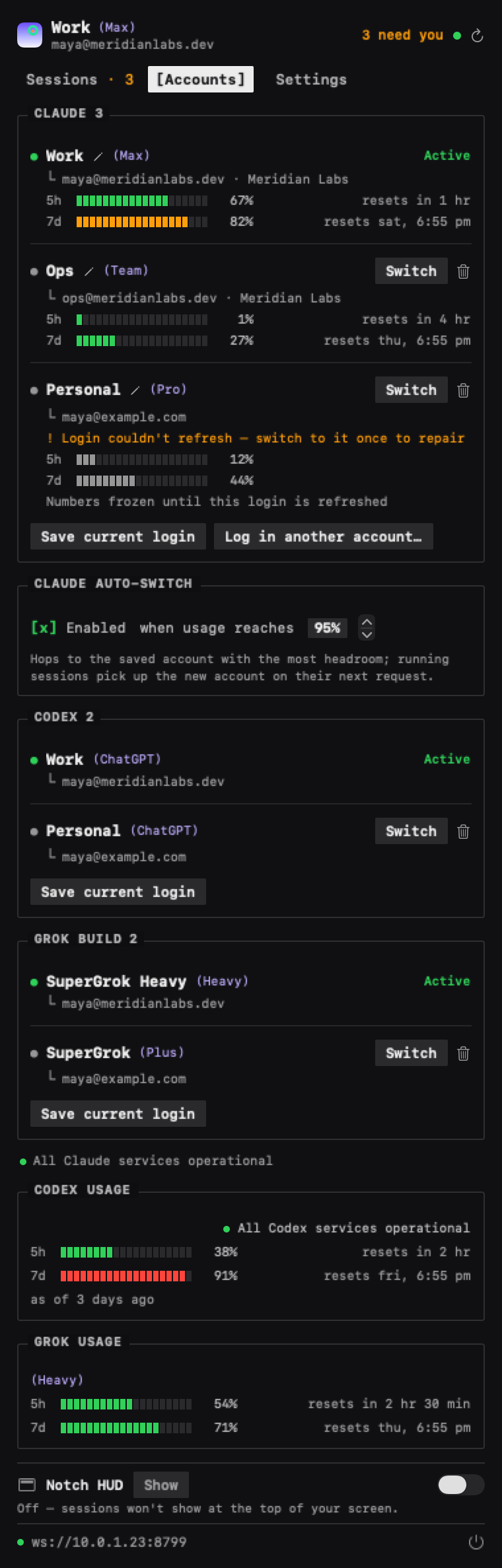
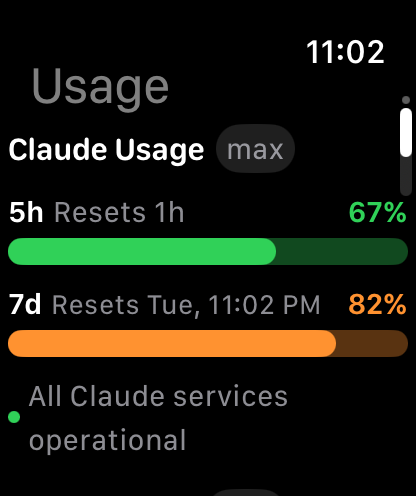
Every login, its meters, and the auto-switch dial in one pane. The meters follow you to the wrist.
A laptop that sleeps kills the run. DevFob has one dial for how awake your Mac stays — with the real limits stated, not hidden.
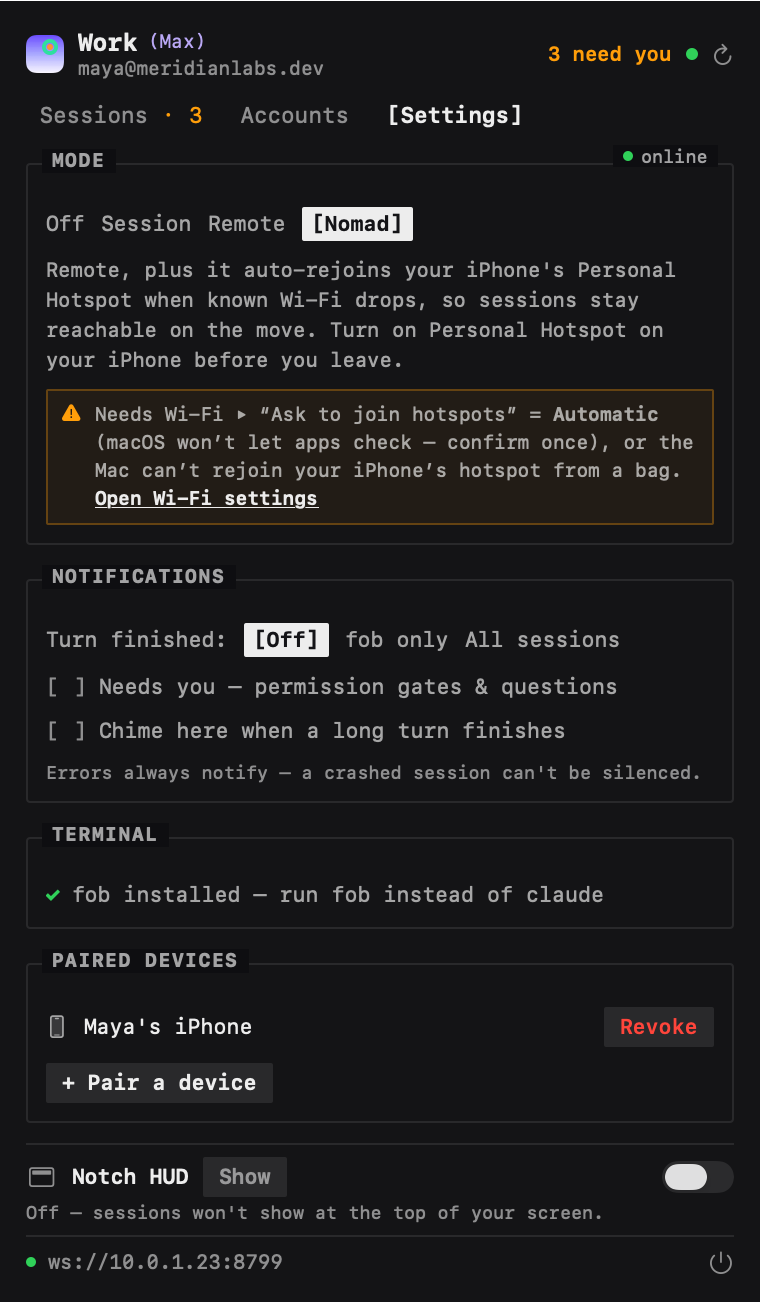
Close it mid-run. Nomad holds it awake in the bag — and your wrist answers the gate an hour later.
Off, Session, Remote, or Nomad — one dial sets keep-awake and connectivity, from the Mac or any device.
Nomad keeps the bagged Mac awake and reachable over your iPhone's hotspot. The agents keep running.
Approve, answer, or reject from your pocket or wrist. Quit later — the Mac sleeps normally again.
Hover — it springs open. ⌘A — approved. It folds itself away.
A glanceable HUD folds out of the MacBook notch: every session, what it's doing, and — when one needs you — the full prompt, answerable without switching windows.
DevFob is a local system: your Mac talks to your watch and phone over your own network, end-to-end encrypted. There is no server of ours in the middle — so there is nothing to breach, subpoena, or subscribe to.
Mac, iPhone, Apple Watch, Android, and Wear OS run one shared engine — behaviour is identical on every screen, and each project keeps its own colour and initial everywhere: glance at your wrist or your notch and “billing” is always the same hue.
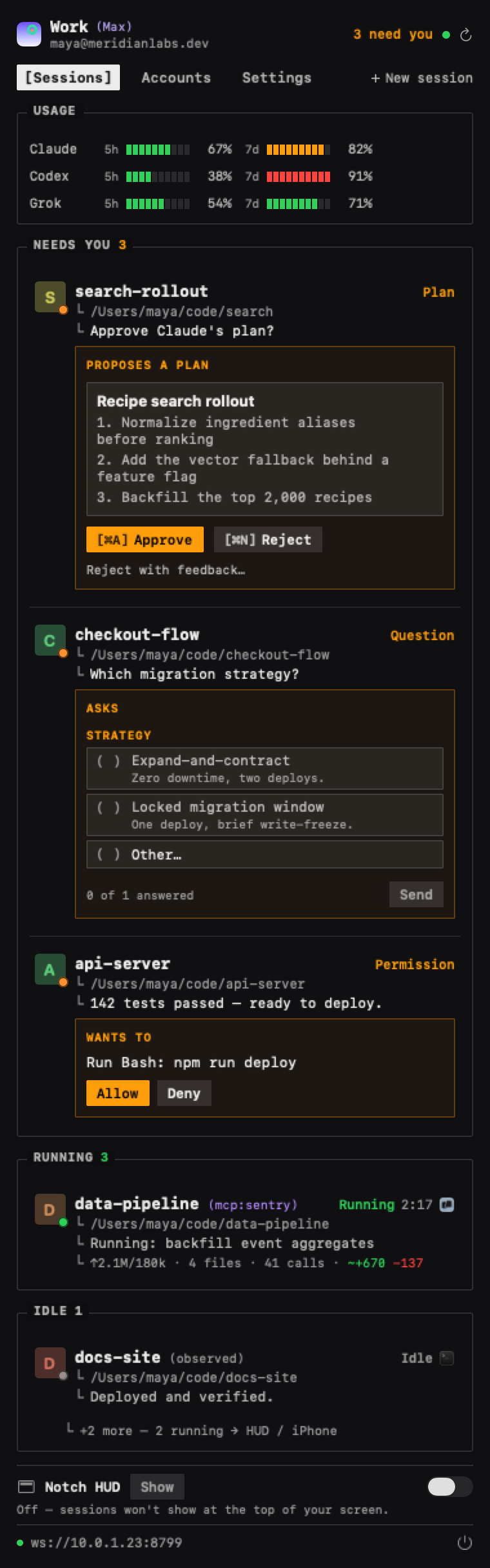
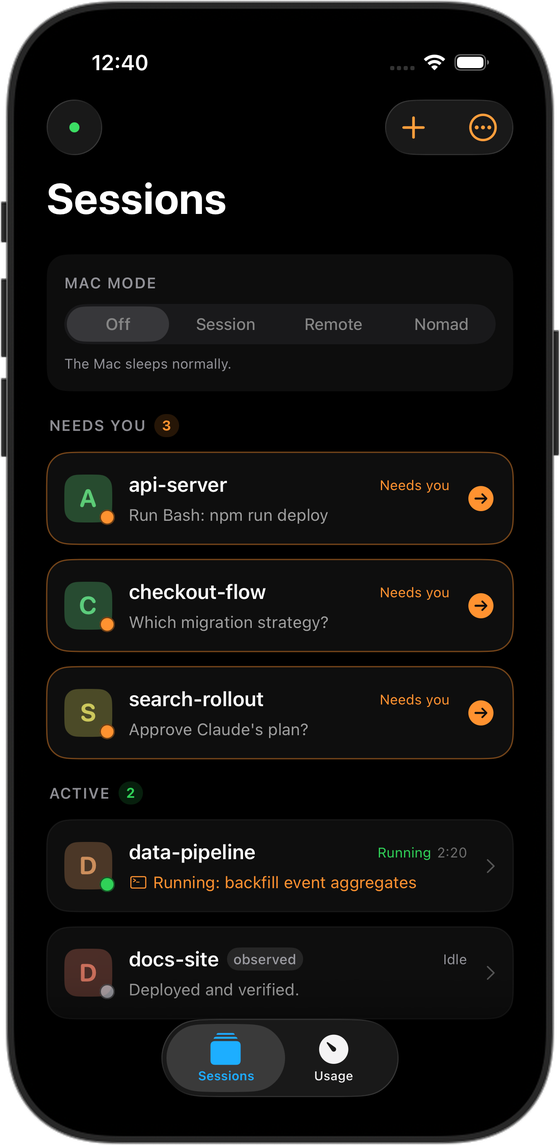
fob is a command, not a terminal.Three agents, one glass — and honest about which does what. Most “answer your agent from your phone” tools cover one CLI; DevFob mirrors three.
| capability | Claude Code | Codex | Grok Build |
|---|---|---|---|
| See sessions, status & last reply | ✓ | ✓ | ✓ |
| Live rate-limit / usage meters | ✓ | ✓ | ✓ |
| One-click account switch (on the Mac) | ✓ | ✓ | ✓ |
| Answer questions & approve plans remotely | ✓ | — | — |
| Auto-switch accounts before a limit | ✓ | — | — |
One-time license for the Mac app · watch and phone apps free · updates included · 14-day refunds
Start free trial — 14 days Buy license — $29Trial is the full app for 14 days — no card, no account. When it ends, remote control pauses; nothing on your Mac breaks. Terms · Privacy
No. The Mac runs a tiny relay on your own network; devices pair by scanning a QR code once. Out of the house, Nomad mode rides your iPhone's Personal Hotspot.
There are no servers of ours in the path. Transport is your LAN or hotspot, sealed-box encrypted end-to-end. The license check verifies a signed key offline.
Apple Watch (Series 6 or newer, paired to the iPhone app) and Wear OS 4+ (paired to the Android app). Both answer permission gates, structured questions, and plan approvals.
Yes — full parity with iPhone, plus a Wear OS companion, same shared engine. It's in closed beta right now — join the tester group for early access.
DevFob watches their sessions and usage beside Claude Code, and switches their saved accounts too. Remote answering is Claude Code-only for now — those CLIs don't expose a control channel we'd trust.
The Mac app, forever, on your machines. Watch and phone apps are free. If it's not for you, 14-day refunds, no questions.
macOS 14+ · $29 once after a 14-day trial · watch & phone apps free